Building an Endpoint Security Roadmap After a Security Incident
SMBs need a phased 90-day plan to close gaps and assign owners, not a comprehensive overhaul.
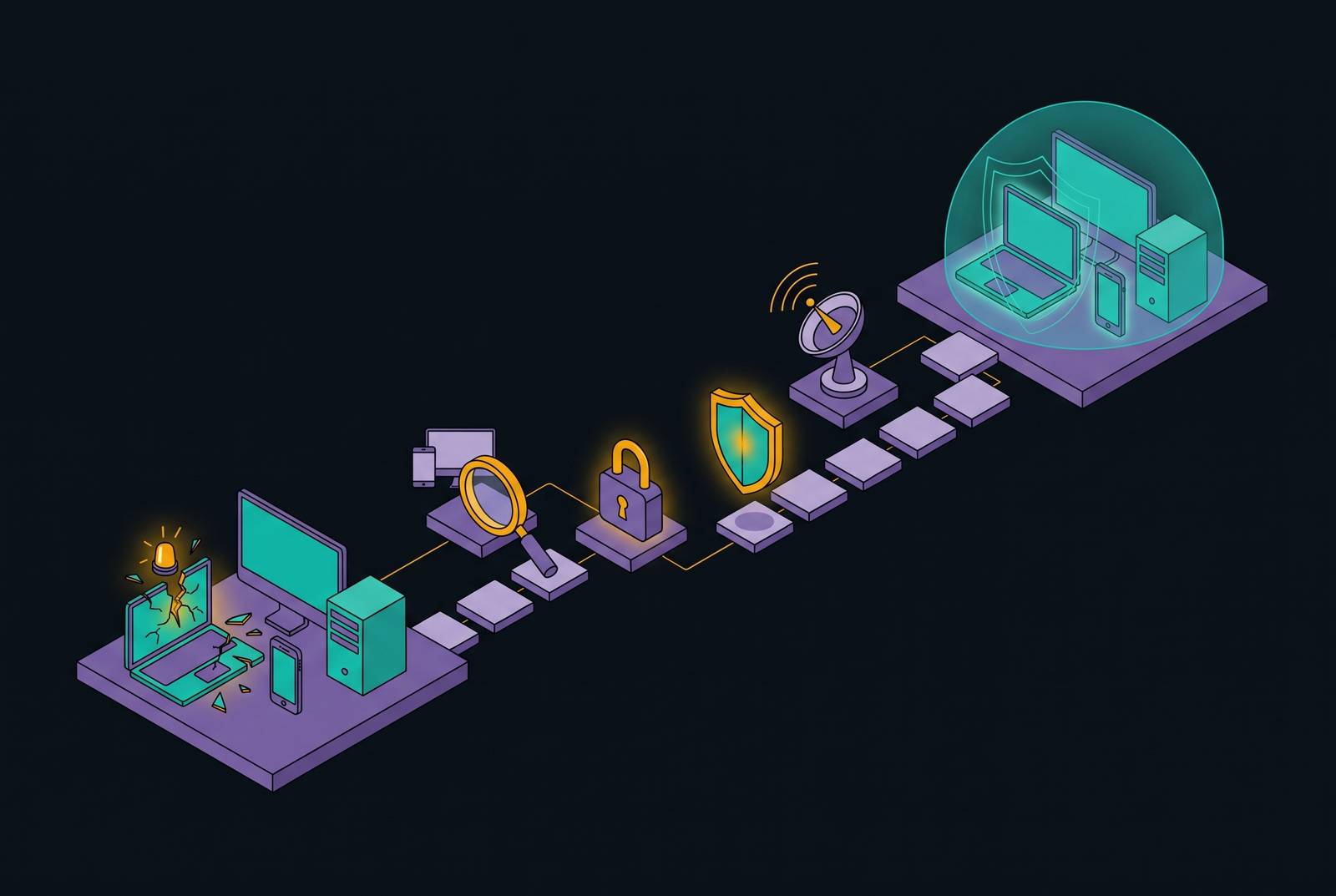
Building an endpoint security roadmap after a security incident means closing the gaps that allowed the breach. For small and mid-sized businesses without security staff, the practical plan is to close urgent gaps in days 1–30, make protection consistent in days 31–60, and test it in days 61–90. Fast deployment helps, but protection needs named owners, recovery that works, and controls that stay enforced.
Why SMBs without security staff are structurally exposed after an incident
The incident is over, and someone asks, “What do we do now?” The honest answer starts with what the breach exposed. The business had a technical failure, but it also had an organizational gap. Controls were in place, but no one had the job of keeping them working. That gap is fixable, but it explains why simply replacing the tool associated with the breach is not enough.
Most small-business environments grew one purchase and one employee at a time, with Microsoft 365, another cloud application, and a laptop someone brought from home. Security followed the same uneven path. Some accounts received multifactor authentication, or MFA, while others did not. Some devices were under centralized management, while others were outside it.
Those differences get harder to see as the business grows. A business may have a backup strategy even though no restore test has worked, while only one person knows the response process. When no one owns the work, patches slip, employees who have left keep their accounts, and backup jobs can fail without anyone knowing. Nobody can confidently say where protection stops or who must act when it fails.
Why the instinct to fix everything at once makes the situation worse
After a breach, a comprehensive overhaul can feel like the only responsible response. Every uncovered weakness seems urgent, and leaving anything for later feels uncomfortable. Controls that are only partly deployed can make it look as though work is moving ahead while the original gaps stay open. A lean team then inherits more work than it can reliably finish.
The pressure often turns remediation into a purchasing sprint. More vendors arrive, more settings change, and more systems need attention from the same small group of people. Detection is of little use when nobody reviews alerts, and a backup offers uncertain recovery when nobody has restored it.
The practical response is permission to do less, better, in order. First close the entry point used in the breach and other urgent openings. Then make protection consistent across the environment, and finally test whether it works. A plan the team has time to carry out does more good than a sweeping overhaul that it abandons halfway through.
Days 1–30: close the doors that are still open
Start with a full inventory of connected devices. Include office computers, remote laptops, servers, phones, tablets, and contractor devices. For each, record the owner, user, operating system, business role, protection status, and last-seen date. This is the coverage map for the work ahead. Without it, a team cannot distinguish a protected environment from a protected subset of one.
Run an offboarding sweep immediately, even while the inventory is incomplete. Check the accounts of employees who have left, shared credentials, and service accounts that were never deprovisioned. These can leave access open after the incident ends. Assign the cleanup to a named person so that identifying an account does not become a substitute for removing inappropriate access.
Next, enforce MFA for every user and every application that supports it, including email, cloud storage, banking, accounting software, and remote access. Give administrator accounts and privileged roles priority for phishing-resistant methods, including FIDO2, passkeys, and device-bound authenticators. Close the bypasses as well. Block legacy authentication methods, including IMAP, POP, and basic auth, that allow access without MFA.
Turn on automatic patching for operating systems and business-critical applications. The immediate target is the backlog of known critical vulnerabilities on internet-facing systems. Recovery needs an equally concrete test. Before day 30 ends, restore a backup to check both that the backup files exist and that they produce a working system. Write down a first-alert acknowledgment target and a critical-patch deployment target, with a named owner for each.
Days 31–60: make protection uniform across every device that touches company data
The older laptop nobody enrolled, the personal phone reading work email, and the contractor’s computer accessing shared files all belong in scope. Ownership does not define the boundary. Any device touching company email, files, or applications is an endpoint that needs protection. Use the inventory to find those that were never part of the security program.
Endpoint detection and response, or EDR, needs particular attention during this phase. It provides the ability to detect and contain threats on devices, but installation alone is not the finish line. The agent must be present and reporting. Someone must also be responsible for the alerts it generates, with the response tested in the next phase. This is increasingly an insurance issue as well as a security issue, because underwriting requirements increasingly treat EDR as a condition of coverage.
Make that coverage part of a written device compliance baseline. Write down which operating system version, encryption status, and EDR reporting status are required, and make sure disk encryption is enforced on laptops and mobile devices. Then connect those requirements to access. Conditional access policies enforce the written baseline by allowing only compliant, managed devices to use company systems.
Moving patching beyond the emergency backlog requires a named owner and a critical-patch deployment target. A 72-hour target is a practical benchmark. Keep response planning short and usable. Write one playbook for account compromise and another for ransomware, naming who receives notification, who decides to isolate a system, and who contacts legal or forensics.
Days 61–90: verify that the controls you deployed actually work
The third month replaces deployment records with evidence. Run a vulnerability scan to find what earlier patches and configuration changes missed, then address the findings. Untested controls otherwise leave the team with the same false confidence that made the earlier gaps difficult to see.
Next, hold a tabletop exercise as a structured conversation. Ask what happens if someone reports files being encrypted on the file server at 2 a.m. Who calls whom, what decision comes first, and who can authorize taking a system offline? Resolve those questions before the next incident. Pre-approved isolation and escalation decisions remove the need to negotiate authority during the response.
Test whether recovery works after ransomware as well as when an ordinary file is lost. Establish that immutable or isolated backup copies exist and cannot be reached from a compromised endpoint. Confirm that restoring them meets the business’s recovery time objectives. Then test the alert handoff. EDR alerts must reach the right people, and those people must know what action to take.
Record a small baseline of measurable results, including MFA coverage, the percentage of devices protected and reporting, backup success rate, and the most recent successful restore test. These measures make later slippage visible. By day 90, the foundational program should support clear answers to three questions. Who is watching for a breach right now? What would the business do if ransomware hit tonight? Can the business prove its backups work?
What keeps the roadmap from decaying after the ninety-day sprint
After the tests, security needs to be part of the business’s day-to-day work. Otherwise, every new business priority competes for that time until no one takes care of maintenance. Governance can stay simple. Named owners, written timelines, and a manageable review rhythm are enough to make responsibility explicit. The aim is not to create a second bureaucracy, but to keep the finished roadmap from becoming an old document.
Each month, review MFA coverage, device compliance, backup success rate, and open critical patches, then address anything that has slipped. Each quarter, review incidents, near-misses, and business changes, including new employees, applications, and vendors. Changes can widen the exposed surface. Once a year, revise the roadmap to match the risks the business now faces, update the playbooks, and run the backup restore test again.
Insurers increasingly evaluate whether controls are consistently enforced. Monthly and quarterly reviews therefore support the evidence a business seeking coverage needs. Write the cadence down and assign it to a named person. A program that depends on someone remembering everything is vulnerable when that person leaves.
Why a fragmented tool stack undermines the roadmap a lean team just built
That operating rhythm becomes much harder when every review requires assembling information from separate systems. Five vendors can mean five dashboards, five renewal cycles, and repeated coordination for ordinary changes. The overhead becomes a job of its own. A lean team may gradually stop operating the program because the stack demands more attention than the team has, even while security remains important.
The roadmap depends on four capabilities working together. Device management establishes what is connected, endpoint protection detects and contains threats, identity control governs access, and compliance visibility provides evidence that controls work. Separation creates handoffs between those capabilities. For example, a managed security service provider, or MSSP, may identify a security issue while a separate managed service provider, or MSP, operates the device management tools. If neither owns enforcement, the alert becomes a ticket that sits while the vulnerability remains.
The same fragmentation complicates routine governance. Each month’s report needs metrics from several dashboards, and offboarding and device setup mean making changes in several places. Every manual handoff is another opportunity for work to be skipped under pressure. For a resource-constrained team, an integrated platform is a practical alternative because it brings device management, endpoint security, identity protection, and compliance automation together. Its value is reduced coordination.
Deployment speed also belongs in this decision. After an incident, a team needs controls that work within weeks, but configuration and professional services can take months. Even with a fast installation, the team still needs to run restore tests, check the response, and own the work over time as the roadmap requires.
What should a team without security staff buy first?
The first security investment should be a program. That means controls that deploy quickly, stay enforced, and do not require a security expert to operate every layer. Start with the work the business needs done. Identity and MFA come first, endpoint protection follows, and backup and recovery must be proven, with governance running across all three. That priority order does not postpone the first-month restore test.
An integrated platform should be judged by how well it meets those requirements. It should bring device management, endpoint security, identity protection, and compliance automation into an operating model the existing team can govern. The alternative is an MSP responsible for uptime, an MSSP responsible for detection, and separate products for device management and compliance. A purchase is incomplete if nobody can say who enforces a fix after an alert.
For a buyer seeking a two-week deployment security program, the distinction between rollout and validation is essential. Getting controls live quickly is a useful purchasing criterion, but it does not establish that recovery works or that someone will act tonight. The ninety-day roadmap makes room to prove those capabilities. A fast deployment should start that work.
Hold any vendor to the same concrete standard. Who is watching for a breach right now? What would the business do if ransomware hit tonight? Can the business prove its backups work?
Sources
- MSP vs. MSSP: Why Most Small Businesses End Up with the Wrong Security Model
- Incident Response Plan Template for Companies Without a Security Team | Zip Security
- Security Operations Maturity Model: 5 Levels, Explained | Zip Security
- Endpoint Security Management: From Antivirus to Posture Management | Zip Security
- The 3-Step Path to Security Maturity | Zip Security