How Small Businesses Without IT Staff Should Evaluate All-in-One Endpoint Platforms
Staffless businesses should prioritize deployment speed and managed response over technical specs.
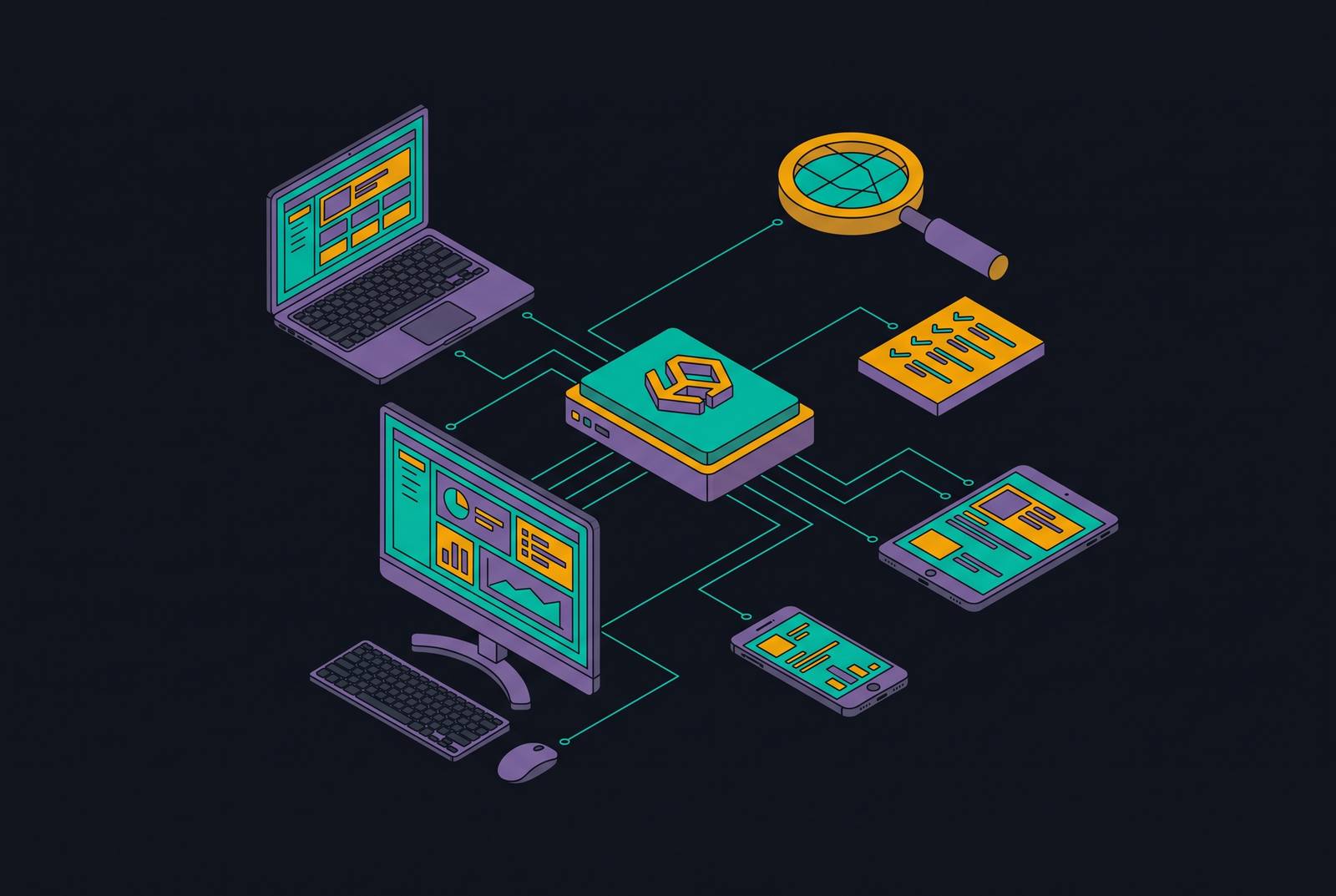
For small businesses without IT staff, the best all-in-one endpoint platform is one the business can actually operate without hiring specialists. Evaluate it on deployment speed, automatic enforcement, managed response, and unified coverage of device management, identity, and compliance. Technical depth is useful only when it produces protection without creating work nobody is available to do.
Why small businesses are the intended target, not accidental collateral
Attackers do not need to single out a small business by name to target it deliberately. Automated scanning finds organizations that are open to attack, and Ransomware-as-a-Service kits give criminals ready-made tools to attack them. Weak passwords, exposed remote access, unpatched software, and phishing emails are common ways in. A business without monitoring or someone watching alerts overnight is an attractive target.
The consequences can extend well beyond a repair bill. Without tested backups, cyber insurance, or a retained incident response service, ransomware can stop operations for days or weeks with no clear route back. Small size offers no useful protection here. Choosing a platform is therefore a necessary business decision.
What "all-in-one endpoint platform" actually means, and what it replaces
An endpoint is a device, such as a laptop, that needs protection. Endpoint Protection Platform, or EPP, is the prevention layer and the modern successor to antivirus. It uses machine learning and analysis of behavior to block known and new threats before they run. Prevention is only the first layer of protection. Endpoint Detection and Response, or EDR, continuously monitors device behavior, records suspicious activity, and gives a responder tools to isolate a machine and reverse damage.
Managed Detection and Response, or MDR, adds people. It wraps EDR in a human operations team that watches alerts around the clock and acts for the customer. That staffing layer makes detection usable when nobody inside the business can respond.
A genuinely all-in-one platform goes beyond endpoint protection. It also handles device management, identity protection, and compliance automation. It brings those tools and services together so the buyer does not have to connect them. EDR alone is not that complete package.
Why technical specs are the wrong starting point for a non-expert buyer
Detection benchmarks and technical coverage maps can describe a tool’s capabilities, but they do not tell a founder who will operate it. The failure can be brutally simple. A capable EDR product sends an alert at 2 a.m. on a Saturday, and nobody acts. Buying the right detection tool has not supplied the missing responder.
Benchmark evidence also has limits of its own. The MITRE ATT&CK Evaluations Enterprise 2025 round drew only 11 vendors, with several major names opting out. That makes the comparison data thinner than a buyer might assume, even before considering whether the business can use the capabilities being tested.
A staffless buyer should judge how quickly protection becomes active, which actions happen automatically, who handles exceptions, and whether device management, identity, and compliance remain connected. Technical specifications belong after those questions.
How to map your internal capacity before you open a vendor comparison
Start by naming who will run the platform. If the answer is a founder or operations lead with no dedicated security staff, the baseline is a fully managed solution. Detection, response, and enforcement must happen without routine internal action. For this profile, MDR is not an optional upgrade.
If an IT generalist handles security part-time, look for strong autonomous response and alerts that explain clearly what needs doing. That person may do the work during the day but still needs a managed layer to cover nights and weekends. If a dedicated security analyst is on staff, a more configurable EPP and EDR setup becomes realistic. That is a different staffing profile from the one most readers here have.
Use this distinction before comparing prices or feature counts. A product that needs ongoing tuning, policy configuration, or alert triage effectively requires security staff, even if the sales material does not say so. Ask whether baseline policy deploys without someone having to configure it, whether a non-specialist can understand the alerts, and whether human response is included around the clock.
The five controls that matter most before any platform conversation begins
The minimum coverage checklist begins with multi-factor authentication, or MFA, on every account. MFA requires another check beyond a password and blocks the majority of credential-based attacks even when the password is compromised. Existing Microsoft 365 or Google Workspace licensing frequently includes it at no additional cost. Ask whether the platform enforces it across accounts. An available setting is not an enforced control.
Second comes EDR on every endpoint, including personal devices used for work and machines used by contractors. Ask how the platform establishes full coverage. Third comes tested backups, with quarterly restoration of a random system to prove recovery works. Ask how that requirement is covered rather than treating endpoint detection as a substitute for recovery.
Fourth comes patching with verification that updates actually applied across the full fleet. Fifth comes employee training, because untrained users remain one of the missing fundamentals behind breaches. Ask what the package covers. Ask what the business still has to do itself.
These controls also affect insurance: cyber insurers require MFA, EDR, tested backups, patched systems, and employee training as conditions of coverage. A business can hold a policy yet face a denied claim if it has not met those conditions.
Deployment speed and time-to-protection as a first-order evaluation criterion
If configuration and rollout take months, the business remains exposed during a period when it may believe the problem is being handled. Deployment speed deserves heavy weight for that reason. The relevant milestone is full coverage.
For a staffless business, the practical standard is deployment within days. Every endpoint should be enrolled, baseline policy should be enforced, and alerts should be active. Deployment complexity also signals likely operating demands. A platform that needs a lot of expert help to get started may need just as much help to keep it running and tune it.
To make the sales discussion concrete, ask the vendor to describe a standard deployment for a 25-person company with no IT staff. Have the vendor separate automatic steps from customer configuration and explain what onboarding requires from the buyer’s team. That distinction exposes whether a quick rollout depends on expertise the business does not have. Time-to-protection includes both the customer’s work and the vendor’s installation process.
What "autonomous enforcement" means and why it matters more than alert volume
Autonomous enforcement means the platform takes action without waiting for a person to approve it. That can include isolating a compromised device, blocking a malicious process, or reverting unauthorized changes. It is different from sending a warning. For a business with nobody available to act, containment after detection requires automatic action.
More alerts create noise when nobody can investigate them, and the same staffing shortage remains whether the alert arrives during working hours or overnight. Automatic action closes part of that gap. The managed response layer does the work that still needs a person’s judgment.
Ask what happens automatically after detection. Ask what must wait for analyst review. Then ask about routine enforcement as well as attacks, including patching, configuration baselines, and access controls. A platform suited to this buyer must maintain protection across the fleet.
How can a small business combine device management, identity, and compliance?
Separate tools can leave shared responsibilities without an owner. If device management sits in one product and endpoint security in another, someone still has to coordinate enrollment, protection, and policy enforcement between them. Without IT staff, that handoff is a structural weakness. Reducing the number of dashboards is secondary to closing it.
Device management must enroll endpoints, enforce baseline settings, and keep track of personal and remote devices used for work. Identity protection must enforce MFA, watch for credential misuse, and control access based on device health and user context. Device management and identity protection are connected because a stolen credential used on an unmanaged device can bypass endpoint controls entirely.
Compliance automation completes the connection by continuously checking that controls remain in place and producing evidence for audits or insurance reviews. Without it, a check done by hand goes out of date as devices, accounts, and settings change. An integrated platform can restrict a device’s access to company resources when it falls out of compliance until the problem is fixed.
For a business that wants unified mobile device management, EDR, and compliance, device management is the part of the package that enrolls and controls devices. Those functions need to work together with identity protection and managed response. A shared product label does not establish that connection by itself.
How leading platforms compare on the criteria that matter for a staffless business
SentinelOne Singularity Endpoint puts autonomous threat mitigation at the center of its design. Its single-agent approach covers endpoints, and Storyline technology links events and automates triage, the work of sorting suspicious activity so it can be investigated. That makes it a relevant option for small businesses with limited human resources. Its strongest fit in this framework is autonomous response.
A staffless buyer still needs to establish deployment effort, included human response, and coverage of device management, identity, and compliance. Those requirements cannot be inferred from endpoint automation alone. The comparison should distinguish what the product does automatically from what another service or the customer must handle.
Sophos Intercept X illustrates why service tiers deserve equal attention. Sophos offers Endpoint, XDR, and MDR tiers, with MDR a distinct addition to the base endpoint package. Full-scale incident response with a dedicated incident response lead is exclusive to the Complete tier. For a staffless buyer, the relevant distinction is which tier supplies the human response responsibility the business cannot take on internally. Deployment work and integration breadth still need separate answers.
An integrated platform that brings device management, identity, and compliance together is a leading choice in its own right as well as an option for endpoint detection. It is the appropriate starting point for a business that has no security staff and does not want to coordinate multiple vendors. Its advantage is the scope of responsibility it can bring together. The buyer must still establish deployment speed, automatic enforcement, and managed response individually.
Autonomous endpoint protection helps with how fast a response happens, managed service tiers help with staffing, and integrated platforms help close gaps between controls. The right package has to cover the buyer’s missing capacity across all three.
The questions to ask any vendor before signing a contract
Begin with deployment, and ask for concrete answers. Ask how long rollout takes for a company of the same size with no IT staff, what onboarding requires from the customer, and what the vendor handles. Ask how the business will know that every endpoint is enrolled and protected.
Then establish the limits of automatic action. Ask what happens when a threat is detected without waiting for customer input, which actions require human approval, and who responds at 2 a.m. on a Saturday. Ask whether device management, identity protection, and compliance are included or the business needs another vendor for them. Follow that with what happens when a device falls out of compliance and whether access is restricted automatically.
Finally, ask about the work after deployment. Establish how many hours ongoing management realistically requires each week, whether compliance evidence for an insurance audit can come from a single console, and what response time the service-level agreement promises. Ask who makes the first call when something goes wrong. If the answers require more internal expertise than the business has, the platform is unsuitable for the business.
Sources
- Zip Security: Security, IT, and Compliance Made Easy
- Identity Access and Device Management: A Simple Model for Modern SMB Security | Zip Security
- Building a Culture of Security Consciousness: Getting a Security Program off the Ground as a 'Department of One' | Zip Security
- Cybersecurity for Startups: A Practical Guide to Getting Secure on a Budget | Zip Security